Written and reviewed by the team operating TempMail Cloud. Product claims are checked against our live service and our editorial standards.
Use an authorized non-production account and a controlled inbox, request one reset, and inspect the exact message and link. Verify that the token is bound to the correct account, expires, and cannot be reused. Also test rate limits, generic responses, address changes, and whether existing sessions are handled as your security policy requires.
Treat reset as an authentication path
Password reset is not a convenience-only feature. Anyone who completes it may gain control of the account, so the recovery path must be at least as carefully designed as normal login. A beautiful email cannot compensate for a predictable token, missing expiry, weak address-change controls, or unlimited requests.
Use the temporary inbox to observe the delivered message while testing the issuing application’s backend separately. OWASP recommends expiring, single-use reset tokens and controls against enumeration and request abuse. These are requirements to assess in your application, not features a receiving inbox supplies. OWASP Forgot Password guidance.
Prepare a controlled test identity
Create a synthetic user with no production permissions or real customer data. Attach a fresh TempMail Cloud inbox so old reset messages cannot confuse the run. Save the mailbox credentials when the same identity will be reused across regression cycles.
Record the account ID, recipient, environment, request time, expected token lifetime, and expected post-reset behavior. Never send a reset to an address you do not control, and never test an unrelated service without authorization.
Review the message content
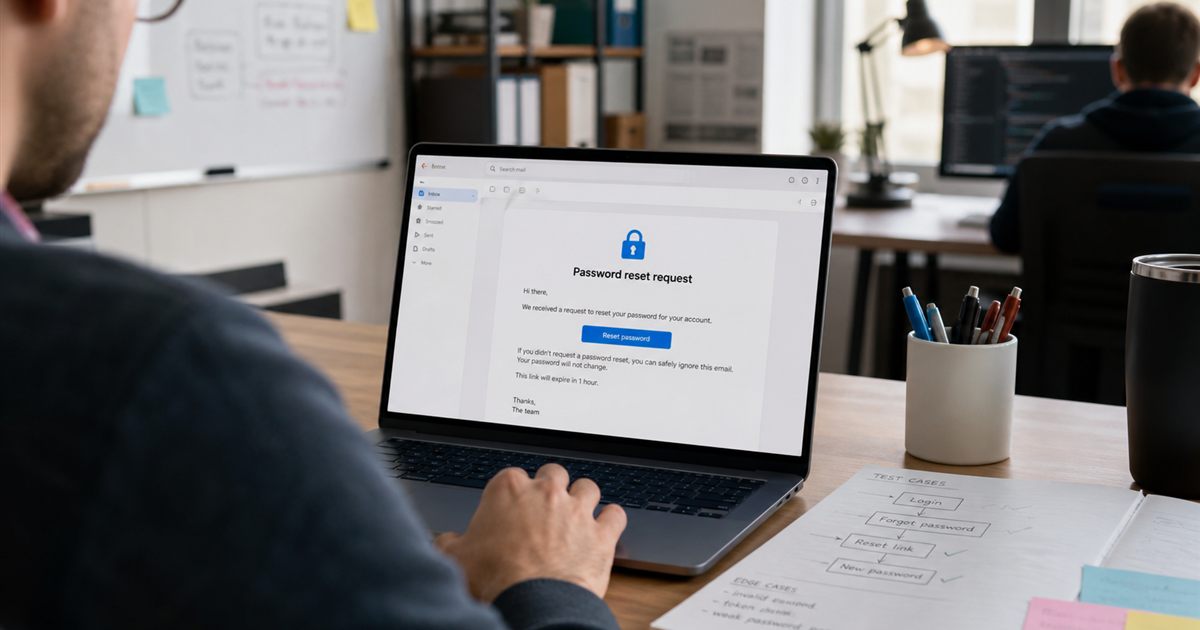
The email should explain that a reset was requested, identify the relevant product without exposing unnecessary account data, show a clear action, state expiry, and offer guidance for an unrequested message. The visible link must use HTTPS and the expected domain.
Check subject, sender, preheader, plain-text version, HTML layout, localization, and mobile readability. Remote assets or tracking should not leak the reset token. Do not include the user’s old password or security answers in any message.
Validate token security behavior
- Use the token successfully once
- Attempt to use it again
- Wait or simulate documented expiry
- Modify one character and submit it
- Use a token after requesting a newer reset
- Try it against another controlled account
- Check that token values are not exposed in logs, analytics, or referrer URLs
The backend should compare tokens safely and return a generic, helpful failure state. A token should not remain valid merely because the success page was cached or the user navigated backward.
Test enumeration and rate limits
Submit reset requests for an existing synthetic account and a nonexistent address. The public response and practical timing should not make account existence obvious. The system can still send mail for the valid case without announcing that difference to an attacker.
Apply limits by account, IP, and risk signal carefully enough to resist automated abuse without permanently locking out legitimate users. Test repeated requests, parallel requests, and requests across alternate interfaces such as mobile and API.
Test account and session consequences
After changing the password, determine whether old sessions, remembered devices, API tokens, and recovery codes remain active. The correct policy depends on the product, but the user should receive a clear security notice and have a way to revoke suspicious sessions.
Changing the primary email, MFA setting, or backup configuration should require re-authentication. A stolen session must not be able to redirect reset email to an attacker without another check.
Use temporary email within its limits
A durable receive-only inbox is convenient for repeatable QA and captures real email output. It is not a production recovery provider, a sending service, or a full cross-client rendering lab. Use synthetic data, protect credentials, and delete obsolete test accounts when the cycle ends.
For critical administrative accounts, test recovery with the organization’s managed mailbox and stronger factors such as passkeys or security keys. Temporary email is a test instrument, not the final security architecture.
Additional practical guidance
Test account changes that occur between requesting and redeeming a reset. If the user changes the email address, disables the account, or requests a second reset, the older link should follow a documented invalidation rule. Ambiguity at these boundaries creates support problems and can expose account-takeover paths.
Related TempMail Cloud guides
Worked two-account regression
Create synthetic accounts A and B, each with a controlled receiving address. Request one reset for A and record the expected token lifetime from your own test configuration. Redeem that token in the authorized A flow, then attempt replay. Separately confirm that changing a client-submitted account identifier cannot make the token reset B. Record the resulting account states, not the token value. This is a proposed test recipe; no outcome is claimed here.
For expiry, use a documented staging clock or a deliberately short test-only lifetime in your own application. Do not change the browser clock and assume that it controls a production server’s token expiry.