Written and reviewed by the team operating TempMail Cloud. Product claims are checked against our live service and our editorial standards.
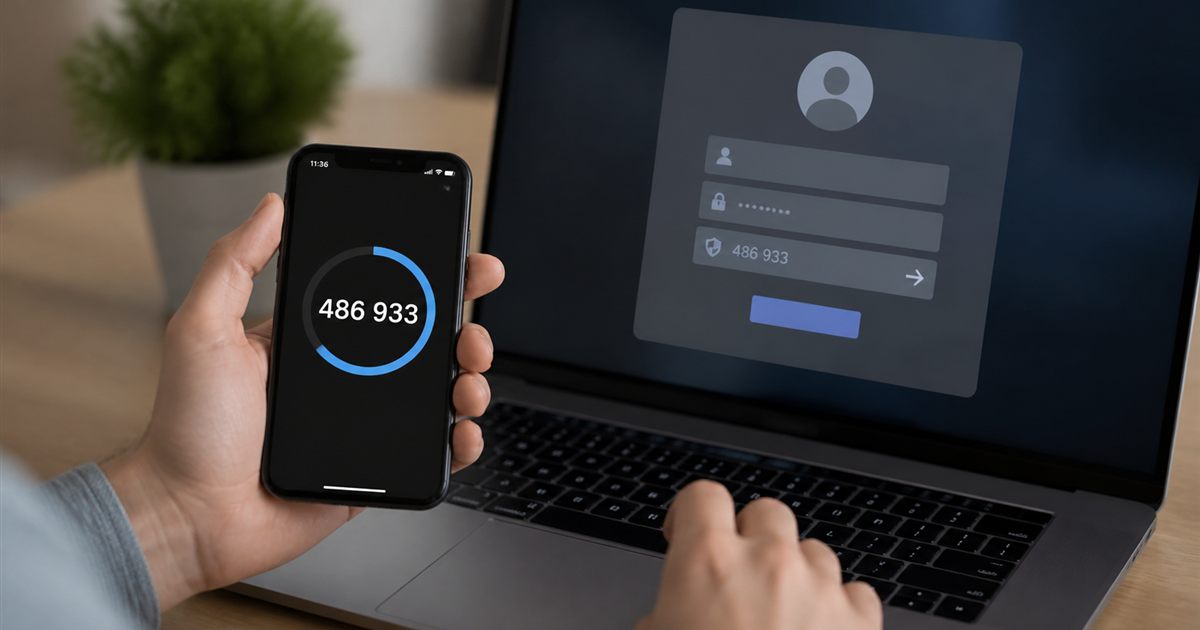
A TOTP is a time-based one-time password generated from a shared secret and the current time. Most services display a six-digit code that changes about every 30 seconds. The website and authenticator independently calculate matching values, so the code can work without an SMS or email being sent.
The standard behind TOTP
TOTP is specified in RFC 6238 as a time-based extension of the HMAC one-time password algorithm in RFC 4226. The shared secret is combined with a time counter using HMAC, then truncated into a short human-entered value.
The common default time step is 30 seconds, though a service can choose another period and supported algorithm. The generator and verifier must agree on the secret, algorithm, number of digits, and time step.
What happens during setup
A service creates a unique secret and usually presents it as a QR code or Base32 text. The user imports that secret into an authenticator. From then on, both sides can calculate the current code. The secret is not the six-digit code; it is the durable key that can generate every future code.
Treat the secret like a password. Anyone who copies it can generate valid values until the service rotates or removes it. Never place a real secret in a public screenshot, article, support ticket, analytics event, or shared test fixture.
Why the clock matters
The moving factor is derived from current Unix time divided into steps. If a device clock is far from the verifier’s clock, the generated value may not match. Verifiers often accept a small adjacent window to allow modest drift, but a large error still causes failure.
When codes repeatedly fail, confirm the account label, secret, algorithm, digits, and device time synchronization before generating many replacements. A changing code is expected; rapid retries can trigger login limits.
TOTP is a second factor, not a password replacement
In common use, the user enters a password and then the current TOTP. An attacker who steals only the password lacks the rotating code. This is a meaningful improvement, especially against password reuse and basic credential theft.
However, NIST guidance explains that manually entered OTP methods are not phishing-resistant. An impostor website can ask for a password and current code, then relay both immediately. Passkeys and FIDO security keys can bind authentication to the real website more strongly.
TOTP versus codes delivered by email
An email OTP requires the sender to generate and deliver a message through mail infrastructure. TOTP requires no delivery after setup; the authenticator calculates the value locally. Email can be delayed or rejected, while TOTP can fail because of a wrong secret or clock.
Email OTP proves access to the inbox. TOTP proves possession of the configured secret. Both can be useful, but neither proves that the website collecting the code is legitimate. The TOTP versus email OTP guide compares the threat and recovery tradeoffs.
Using an online TOTP generator safely
Code calculation happens in the browser. Optional Save Key is separate: a guest key is retained in browser storage, while a signed-in key is sent to the account service for synchronization. Sharing uses a separate workflow. Clearing an input or closing the tab does not remove saved or shared copies. See generator storage and safety.
Do not use a shared or monitored computer, do not leave the secret in clipboard history, and close the page when finished. Rotate the secret at the service if you believe it was exposed.
Recovery and backup planning
Save the service’s recovery codes in a protected offline location and consider a second trusted authenticator or security key where allowed. Do not make one browser tab or one phone the only way back into a critical account.
For development, use test-only secrets that never grant production access. Check your implementation against published RFC test vectors rather than assuming that one observed code proves correctness.
Additional practical guidance
During enrollment, verify the issuer and account label, then test one code while recovery options are still available. Store recovery codes separately from the authenticator device. This quick setup check prevents a copied or mislabeled secret from becoming an emergency lockout later.
Related TempMail Cloud guides
RFC 6238 test-vector reproduction
We independently reproduced the public RFC 6238 Appendix B vectors on 29 September 2026 using a 30-second time step, `T0 = 0`, eight output digits and the RFC's published SHA-1, SHA-256 and SHA-512 test secrets. At Unix time 59 the results were `94287082`, `46119246` and `90693936`, matching the RFC values. View all reproduced vectors and method.
The test secrets are public interoperability fixtures, not live account secrets. They must never be reused to protect an account.
Annotated live-tool demonstration
We entered the public Base32 RFC test secret in the browser-local TempMail Cloud generator and observed a six-digit code with a 30-second countdown. The secret is redacted in the dated screenshot; the displayed code was short-lived and is not attached to an account.
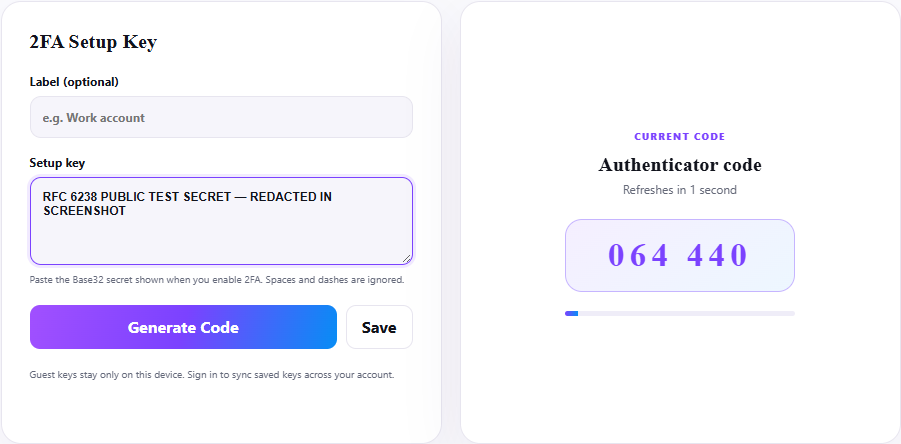
- The shared secret is decoded locally.
- Unix time is divided into 30-second steps.
- HMAC-SHA-1 and dynamic truncation produce the displayed six digits.
- The next time step produces a different code.
What a matching vector proves—and does not prove
A matching vector proves the calculation agrees with the published inputs for that timestamp and algorithm. It does not prove that a third-party account is configured with the same secret, that its server clock agrees, or that its acceptance window permits a given code. Account recovery and enrollment remain provider-specific.